
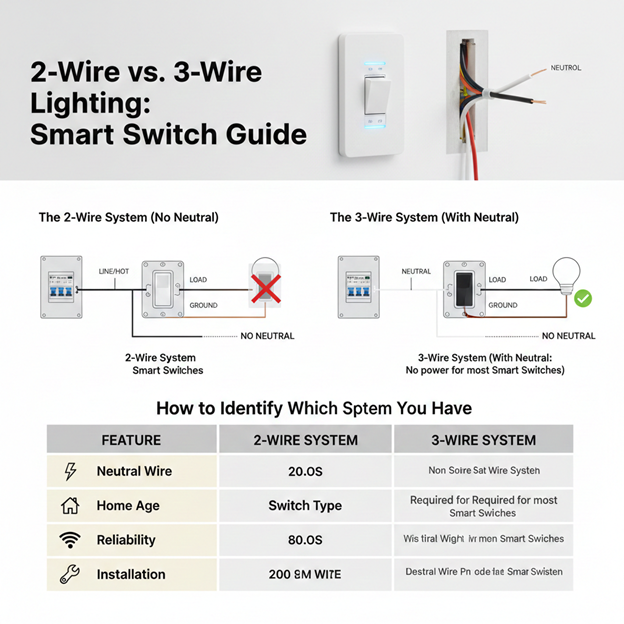
Upgrading to smart switches is one of the best ways to modernize your home, but before you buy your devices, you must understand your existing wiring. The main challenge for most homeowners is the Neutral Wire requirement. If you choose the wrong switch for your wiring type, the device simply won’t work or may cause your lights to flicker.
What is the Difference Between 2 Wire and 3 Wire Systems?
In the context of light switches, the terms 2-wire and 3-wire refer to whether a Neutral wire is present at the switch box.
- The 2-Wire System (No Neutral)
Common in older homes (built before the 1980s), a 2-wire setup only brings the Hot power to the switch.
- Wires Present: Line (Hot) and Switched Live (Load).
- How it works: The circuit is only completed when the switch is ON. When the switch is OFF, the path is broken, and no electricity flows through the switch box.
- Smart Home Challenge: Since a smart switch is a computer that needs to stay connected to Wi-Fi, it needs constant power even when the lights are off. Without a neutral wire, a standard smart switch cannot complete its own circuit to stay awake.
- The 3-Wire System (With Neutral)
Modern electrical codes now require a neutral wire at every switch box.
- Wires Present: Line (Hot), Switched Live (Load), and Neutral.
- How it works: The Neutral wire provides a dedicated return path for electricity. This allows the smart switch to stay powered 24/7 without needing the light bulb to be turned on.
How to Identify Which System You Have
Before purchasing switches, turn off the power at the breaker and pull your existing switch out (leave the wires connected) to look inside the wall box:
- Look for a Bundle: If you see a group of white wires tucked in the back of the box that are tied together with a wire nut but NOT connected to the switch, you have a 3-wire system (Neutral present).
- Only Two Wires: If you only see two wires (usually both black, or one black and one red) connected to your switch and no white wires in the back, you have a 2-wire system.
Choosing the Right Smart Switch
Option A: If You Have a Neutral Wire (3-Wire)
You can use almost any smart switch on the market. These are generally cheaper, more reliable, and can act as “repeaters” to strengthen your smart home network.
Option B: If You Have NO Neutral Wire (2-Wire)
You must specifically look for No-Neutral Smart Switches.
- How they work: These switches leak a tiny amount of electricity through the light bulb even when it’s off to keep themselves powered.
- Requirement: They often require a Bypass or “Capacitor” installed at the light fixture to prevent LED bulbs from flickering or glowing dimly when turned off.
Summary Comparison Table
| Feature | 2-Wire System | 3-Wire System |
|---|---|---|
| Neutral Wire | Not Present | Present (usually white) |
| Home Age | Older Homes | Modern Homes (post-1980s) |
| Switch Type | Requires “No-Neutral” models | Works with any Smart Switch |
| Reliability | May cause LED flickering | Highly stable |
| Installation | Easier (no extra wiring) | Requires connecting to Neutral bundle |
Conclusion
The presence of a neutral wire is the make or break factor for smart home lighting. While 3-wire systems offer the most flexibility, modern no neutral technology has made it possible for older homes to enjoy automation without a full rewire. Always verify your wiring first, and if you are uncomfortable handling live wires or identifying connections, consult a licensed electrician to ensure a safe installation.